Open an account
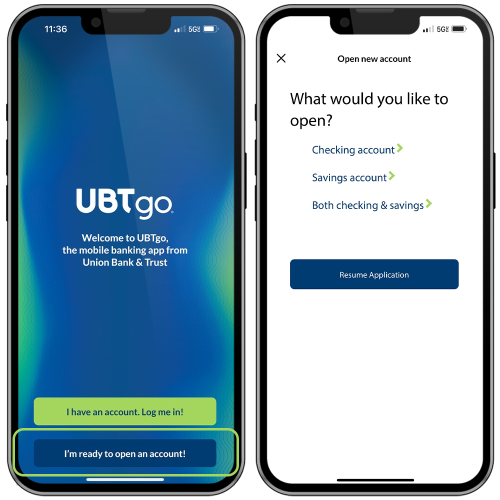
You can open an account directly from our app. After a quick download from your device’s app store, you’ll select the I’m ready to open an account! option. From there, you’ll fill in your information and choose the product or products you want to open right from the app.
Mobile wallet
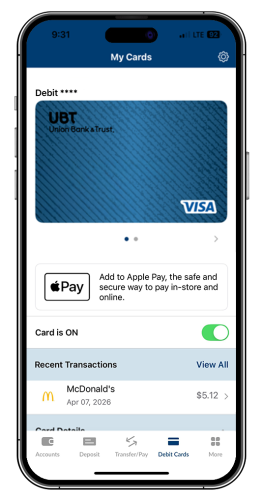
Once your account is open, you can start using the UBTgo mobile app to manage it. For example, you can push your card to your device’s mobile wallet directly from UBTgo.
Spend insights
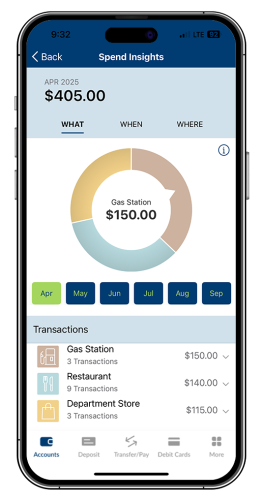
See when, where, and how your used your debit card with a detailed breakdown of your debit card spending.
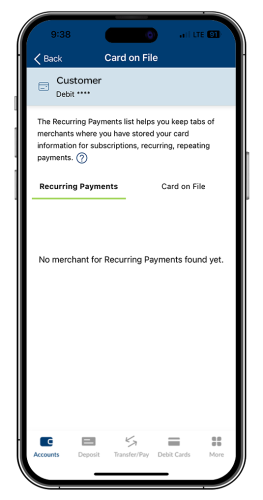
Card on file
Review recurring payments and which merchants you have your debit card stored with.
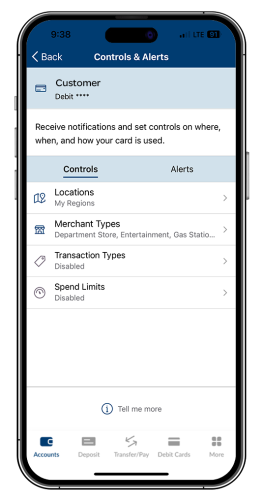
Controls and alerts
Set up controls and alerts to manage your debit card spending and get notified if something changes.
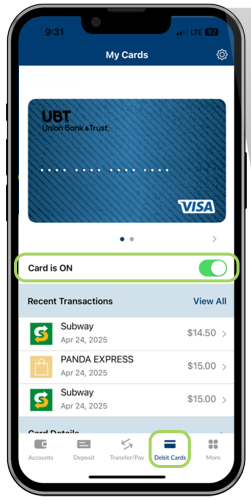
Card on/off
Turn your debit card on or off right from the UBTgo app.
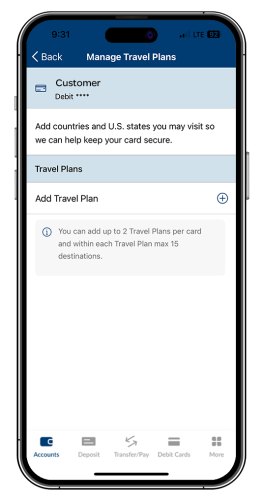
Travel plans
Set up travel notifications for your debit card to let us know when and where you’ll be traveling so we know it’s you.

Deposit your birthday money before your candles are even done smoking. You can deposit checks whenever, wherever using the UBTgo mobile app. Just be sure to endorse the back of the check with the words “For Mobile Deposit Only at Union Bank” along with your signature when you deposit your check.

Get your money where you need it, when you need it there, by utilizing UBTgo’s money management tools. Whether it’s transferring money between your UBT accounts, to someone else’s UBT account, or even to an account at another financial institution, UBT makes money transfers fast and easy.

Zelle® is a convenient way to send and receive money with friends, family and others you trust, even if they bank somewhere different than you.¹ Use Zelle® to gift money, pay the sitter, or split the cost of a night out.

Have you added your UBT credit or debit card to your smartphone’s mobile wallet yet? Using your mobile wallet is a fast, simple, secure way to pay for goods and services. Not sure how to get started? Check out our step-by-step tutorial.
Everything you need in the palm of your hand
A banking app is only as good as the bank that backs it. UBT is a family-owned bank full of real people who really care. From checking and savings to loans and wealth management, we have the financial services and support you need to build the life you want.



Frequently Asked Questions
Union Bank's routing number is 104910795.
You can find your account number in a few places:
- In UBTgo accessed through desktop or the mobile browser on the Account Details section of the Account Activity Screen
- On your checks
- On a monthly statement either mailed to your or accessed through UBTgo
An paperless statement is an electronic mail notification sent to your e-mail address the day your statement is available to view in UBTgo. The paperless statement will replace your current paper statement, providing you immediate access to your account information.
You may enroll in paperless statements by logging into UBTgo and selecting Paperless Statement Enrollment from the secondary menu.
- When logged into UBTgo from your mobile device, click on the "Deposits" on the bottom of the screen, or from the Menu at the top of the screen, select "Deposit a Check"
- Be sure to endorse the back of the check with "For Mobile Deposit Only at Union Bank" and your signature
- Select the account you wish to deposit into
- Enter the amount of the check
- Take images of the front and back of the check
- Select "Make Deposit"
- Successful deposits will be listed under "View Deposit History"
Deposit Limits |
Funds Availability |
| $3,000 daily deposit limit per user | Funds are normally received within two business days. Please keep your paper check until the funds are posted to your account. Once received, view your deposit status under Deposit History. |
UBTgo is an online platform that lets you access your accounts from your personal computer or smart device 24 hours a day, seven days a week. You can review all the details of your Union Bank accounts, as well as check balances and track spending, transfer funds, verify payments, see if checks have cleared, access debit card controls, and access account statements.
To enroll via your web browser: Visit ubt.com/personal/online-mobile-banking and click the Sign Up link on the login box, then follow the prompts to create your account.
To enroll via your smartphone: Download the UBTgo app from either Apple's App Store (for Apple devices) or Google Play (for Android devices), then tap Register and follow the prompts to create your account.
In the UBTgo app, navigate to the Debit Cards section and choose the card you want to add to your mobile wallet. Then, tap the prompt under the card image to add it to your mobile wallet. You'll then need to confirm that the name and last four digits of the card number are correct and click Add to Mobile Wallet.
No, Union Bank & Trust does not charge any fees to use Zelle® in our mobile app.
Your mobile carrier's messaging and data rates may apply.
Connect with our people online

iPhone®, Apple Pay®, Apple®, and App Store® are registered trademarks of Apple Inc.
Samsung Pay® is a registered trademark of Samsung Electronics Co.
Android™, Google Play™, and Google Play logo are trademarks of Google LLC.
App Store is a service mark of Apple Inc. Apple and the Apple logo are trademarks of Apple Inc, registered in the U.S. and other countries. Android, Google Play, and the Google Play logo are trademarks of Google Inc. Data charges may apply. Check with your mobile phone carrier for details. Zelle and the Zelle related marks are wholly owned by Early Warning Services, LLC and are used herein under license.
1 Transactions typically occur in minutes when the recipient's email address or U.S. mobile number is already enrolled with Zelle.
Copyright © 2023. All rights reserved.
